By Beth Smith, M. Ed. | #smithingifted
There is something pretty magical about watching a student stare at a board full of ramps, gears, and marbles and suddenly announce:
“WAIT! I know why it isn’t working!”
That moment is exactly why I love Turing Tumble for gifted learners.
At first glance, Turing Tumble looks like an elaborate marble run. But once students begin working with it, they quickly discover that they are actually exploring the thinking behind computer science, algorithms, binary, logic, problem solving, and debugging—without ever opening a laptop.
And for gifted students?
That is where things get really interesting.

🧠 What Is Turing Tumble?
Turing Tumble is a mechanical, marble-powered computer puzzle system. Students place different pieces on a vertical board and release red and blue marbles to complete specific challenges.
The pieces behave somewhat like the components inside a computer. Students eventually work with ideas involving bits, memory, logic, patterns, counting, and computation.
Turing Tumble also provides an Educator Guide designed to connect the puzzles to computer logic and explain what students are learning through particular challenges. (Turing Tumble Community)
But here’s the part I think matters most:
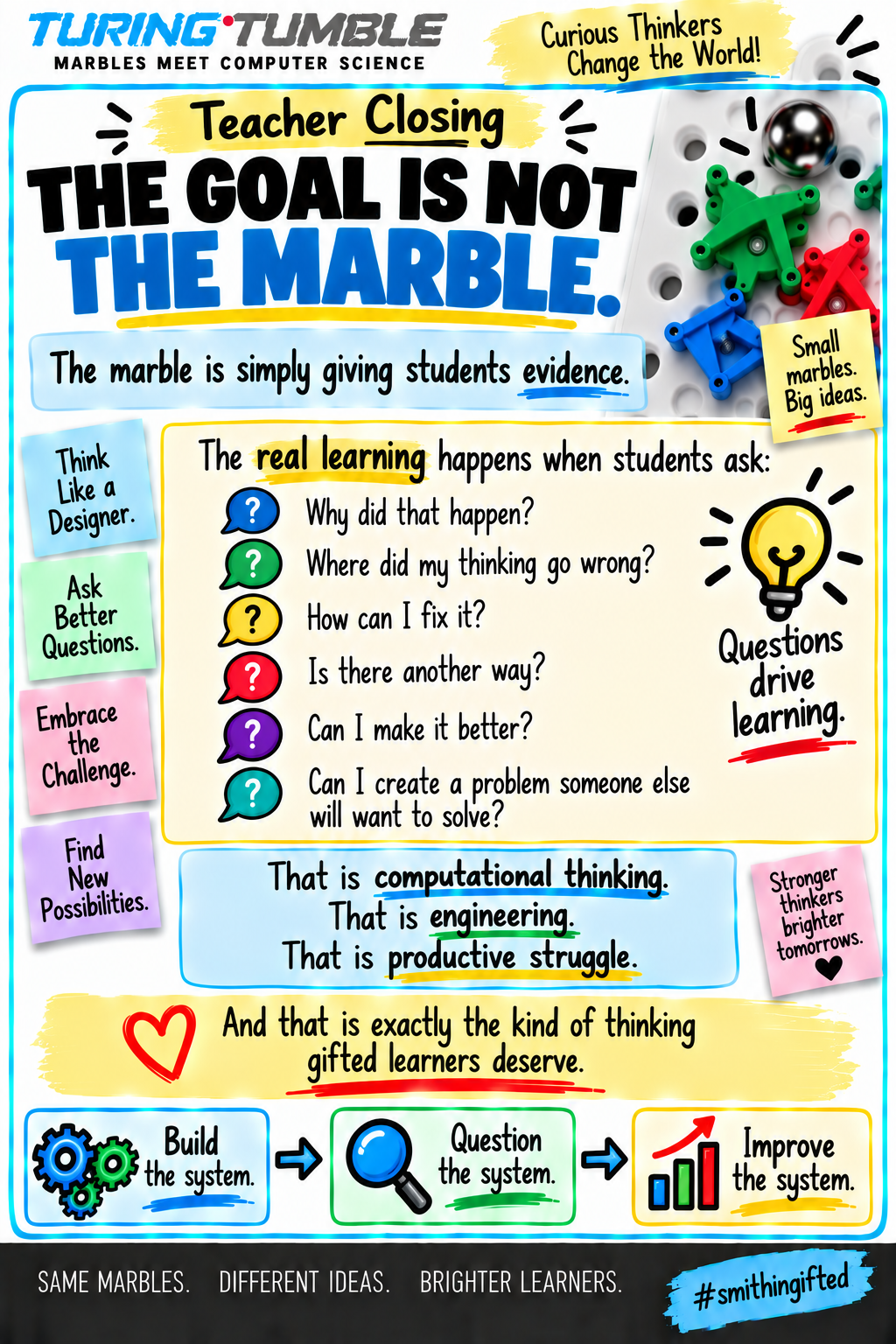
Students can SEE their thinking.
When their program works, the marbles demonstrate it.
When it doesn’t work?
The marbles demonstrate that too.
There is no computer saying:
ERROR.
Instead, a marble heads in the wrong direction.
And now the student has a mystery to solve.
Why Turing Tumble Works So Well With Gifted Learners
Gifted students do not simply need more work.
They need opportunities to think differently.
They need complexity.
They need unanswered questions.
They need situations where the teacher does not immediately know which strategy they will use.
They need the chance to fail, rethink, revise, and defend their reasoning.
Turing Tumble gives us all of that.
The puzzles grow increasingly complex, and importantly, there may be more than one way to produce a desired output. Educational materials created for elementary Turing Tumble use specifically emphasize that multiple solutions can sometimes accomplish the same objective. (Turing Tumble Community)
That opens a huge door for gifted education.
Instead of asking:
“Did you solve it?”
we can begin asking:
“How did you solve it?”
“Is there another way?”
“Can you make your solution more efficient?”
“What happens if I change one condition?”
And suddenly we have moved far beyond a marble puzzle.
🔍 Start With Investigation, Not Instruction
One of my favorite ways to introduce a new STEM tool is to resist the temptation to explain everything.
Instead, place several Turing Tumble pieces in front of students.
Give them five or ten minutes.
Tell them:
Your Mission
Figure out as much as you can about this system without me teaching you how it works.
Students might investigate:
- What happens when a marble hits a ramp?
- Which pieces change direction?
- Which pieces stay the same?
- What causes another marble to release?
- Can a marble change something on the board?
- What patterns do you notice?
- What do you think each piece does?
Have students create an I Notice / I Think / I Wonder chart.
Now they are not merely learning how to use Turing Tumble.
They are behaving like scientists examining an unfamiliar system.
💻 Make the Computer Science Connection
Once students understand the physical system, begin connecting their discoveries to computers.
Ask:
How could a board powered only by gravity and marbles possibly be considered a computer?
That question alone can lead to an incredible discussion.
Computers rely on enormous numbers of switches with states that can represent information. Turing Tumble allows students to physically manipulate comparable ideas using pieces such as bits and gear bits. The Turing Tumble education community specifically uses the system to explore connections among switches, binary information, memory, and computer logic. (Turing Tumble Community)
This is where vocabulary can gradually enter:
algorithm • input • output • binary • bit • logic • memory • program • condition • sequence • debugging
Don’t give students all the vocabulary first.
Let them experience the idea.
Then give the idea a name.
🔢 Explore Binary With Actual Movement
Binary can feel incredibly abstract when students first encounter it.
Zeros and ones.
That’s it?
But Turing Tumble makes binary something students can manipulate.
Students can use bit settings to represent numbers and then observe how the system responds. Elementary Turing Tumble instructional materials, for example, include activities in which students convert decimal numbers to binary and read bit settings directly from the board. (Turing Tumble Community)
For gifted students, don’t stop with converting numbers.
Ask them to investigate patterns.
Gifted Thinking Questions
What do you notice about even numbers in binary?
What changes every time you add one?
Which bit changes most frequently?
Can you predict a binary number before testing it?
What would happen if we added another bit?
How many values could five bits represent?
Now mathematics, computer science, and pattern analysis are happening simultaneously.
🛠️ Don’t Rescue Students Too Quickly
This may be the hardest part for teachers.
A student builds a solution.
The marble falls.
Wrong direction.
The student looks at you.
And every teacher instinct says:
“Move that piece over here.”
Don’t.
Try:
“What did you expect the marble to do?”
Then:
“Where did reality stop matching your prediction?”
That question turns failure into debugging.
And debugging may be one of the most valuable habits Turing Tumble teaches.
The objective isn’t to avoid mistakes.
The objective is to learn how to locate, explain, and correct them.
For some gifted students who are accustomed to getting answers quickly, this can be especially powerful.
Productive struggle belongs in the gifted classroom.
🧩 Turn It Into a Gifted Learning Station
Turing Tumble works beautifully as a recurring STEM or computer science station.
Instead of letting students race through puzzles, give the station additional expectations.
TURING TUMBLE STATION
1. SOLVE
Complete your assigned challenge.
2. DOCUMENT
Sketch or photograph your design.
3. EXPLAIN
Explain why your solution works.
4. DEBUG
Identify at least one place where your original thinking failed.
5. LEVEL UP
Complete one extension challenge.
That last step is important.
Because finishing early should unlock deeper thinking—not just the next worksheet.
🌟 Add Gifted Level-Up Challenges
This is where Turing Tumble can become much more than the puzzle book.
Once students understand the system, begin changing the rules.
Try challenges such as:
THE MINIMALIST
Solve the challenge using the fewest pieces possible.
THE SECOND SOLUTION
You already solved it.
Now solve it a completely different way.
THE SABOTEUR
Your partner gets to change one piece in your completed program.
Find the error and repair it.
THE PREDICTOR
Study a completed Turing Tumble board without running it.
Predict exactly what will happen.
Then test your hypothesis.
THE ERROR ANALYST
Your teacher gives you a board containing an intentional mistake.
Find it.
Explain it.
Fix it.
THE CONSTRAINT
Solve the challenge without using one particular type of piece.
THE OPTIMIZER
Two designs both work.
Which one is better?
First students must decide:
What does “better” mean?
Fewer pieces?
Fewer marble drops?
Faster?
Easier to understand?
More reliable?
Suddenly we are talking about engineering criteria and optimization.
👥 Have Students Defend Their Thinking
One of the easiest ways to increase rigor is also one of the simplest:
Make students explain their solutions.
After completing a difficult challenge, ask for a 60-Second Turing Tumble Defense.
Students explain:
- What the system was supposed to accomplish.
- How their design works.
- The most difficult problem they encountered.
- What they changed while debugging.
- Why they believe their solution is efficient.
Then classmates may ask one question.
Gifted students quickly discover something important:
Making something work and explaining why it works are not the same skill.
🎯 Create Student-Designed Challenges
Eventually, stop giving students puzzles.
Have them create them.
That is when the level of thinking really changes.
Tell students:
DESIGN A TURING TUMBLE CHALLENGE
Your challenge must include:
- a clear objective.
- a required output.
- at least one constraint.
- a working solution.
- a diagram.
- an explanation of the computer science involved.
Then another team attempts to solve it.
This forces the student designer to think backwards.
Instead of asking:
“How do I solve this?”
they must ask:
“How can I design a problem that requires someone else to discover this idea?”
That is a much more sophisticated task.
🌪️ Give Them a Disruption Card
Gifted students love thinking they are finished.
So occasionally let them finish.
Then hand them a card.
DISRUPTION!
Your program works perfectly.
Unfortunately, your engineering team has just learned that three of your ramps are unavailable.
Redesign your program.
Or:
DISRUPTION!
Your design works.
However, the computer company says it uses too many pieces.
Reduce the number of pieces by 20% without changing the output.
Or:
DISRUPTION!
Your program produces the correct result.
Now another programmer needs to understand it.
Redesign it so the logic is easier to explain.
Gifted learning becomes much more interesting when the conditions refuse to stay still.
🧑🤝🧑 Try Team Roles
If several students share one board, avoid allowing one strong student to take over.
Assign rotating roles.
PROGRAMMER
Places the pieces.
SYSTEMS ANALYST
Predicts what the system will do.
DEBUGGER
Looks for problems.
DOCUMENTARIAN
Sketches or records the design.
QUESTIONER
Must ask the team at least three thinking questions.
Rotate roles every challenge.
Now collaboration becomes part of the learning.
📝 Assess the Thinking, Not Just the Finished Board
A successful marble run doesn’t necessarily tell us what students understand.
Ask students to complete a quick reflection:
TURING TUMBLE EXIT TICKET
Our challenge was:
Our solution worked because:
The biggest problem we encountered was:
We debugged it by:
One pattern I noticed was:
One question I still have is:
⭐ GIFTED LEVEL-UP
If you could redesign your solution with one new type of Turing Tumble piece that does not currently exist, what would that piece do and why would it improve your program?
Now we are assessing reasoning, transfer, creativity, and metacognition instead of simply checking whether the marble landed in the right place.
🚀 Where Turing Tumble Can Lead Next
Turing Tumble can become a launching point for much bigger concepts.
Students can move from the physical model into:
Scratch
Build a digital program that performs a similar sequence.
Micro:bit
Compare mechanical bits to electronic/digital states.
Robotics
Compare Turing Tumble’s inputs, decisions, and outputs to a robot’s sensors, programming, and actions.
Mathematics
Investigate binary numbers and patterns.
Logic
Explore AND, OR, and NOT relationships.
Engineering
Optimize systems under constraints.
AI Literacy
Ask a fascinating question:
If computers ultimately follow instructions and manipulate information, how do incredibly complex systems—including artificial intelligence—grow from very simple operations?
You don’t need students to completely answer that question.
You want them to become curious enough to keep asking it.
💛 The Real Reason I Like Turing Tumble
I love technology.
I love robotics.
I love coding.
But there is something incredibly valuable about putting a completely screen-free computer in front of students.
They can touch the logic.
They can watch information move.
They can physically change a program.
They can see cause and effect.
And when something goes wrong, there is nowhere for the thinking to hide.
The marble tells the truth.
For gifted students, Turing Tumble gives us an opportunity to shift the classroom conversation away from:
“Who can get the answer fastest?”
and toward:
“Who can investigate the system, explain the pattern, improve the solution, and ask the next great question?”
That is the kind of thinking I want happening in my gifted classroom.
Because sometimes the best way to teach students how computers think…
is to turn off the computer,
drop a marble,
and see what happens.
#smithingifted
Teach the thinking. Build the curiosity. Let them figure out the rest.

